

































eBook INGLÉS EPUB sin DRM
How to Install a Libby on Kindle Fire
A Step-by-Step Guide to Downloading, Installing, and Using Libby on Any Kindle Device
Por KENNETH BEAUMONT
Nuevo
Sinopsis
Libby is a free digital reading app developed by OverDrive that allows users to borrow eBooks, audiobooks, and digital magazines from their local library. Instead of visiting a physical library or purchasing every book you want to read, Libby gives you instant access to thousands of titles using only a library card and an internet connection. For Kindle Fire users, the app provides a convenient way to turn a tablet into a portable library, making reading and listening more accessible at home, at school, or on the go. One of the biggest advantages of Libby is its simplicity. The app is designed to be user-friendly, even for beginners who may not be familiar with digital library systems. Once installed, users can easily search for books, borrow titles, place holds on popular items, and manage their reading activity in one place. Many eBooks can also be sent directly to a Kindle reading experience through Amazon integration, while audiobooks and magazines can be enjoyed within the Libby app itself. Using Libby on a Kindle Fire requires only a few basic steps. First, users must ensure their device is compatible and properly prepared, including having a stable Wi-Fi connection, sufficient storage space, and an active Amazon account. The app can then be downloaded directly from the Amazon Appstore, making installation quick and secure. After installation, users sign in with their library card to connect to their local library system and unlock access to its digital collection. Once set up, Libby opens the door to a wide range of reading options. Users can browse curated collections such as bestsellers, new releases, and recommended titles, or search directly for specific books, authors, or topics. Borrowing a book is as simple as tapping a button, and most titles are available for instant download. If a book is already checked out, users can place a hold and receive a notification when it becomes available. The app automatically manages loan periods, meaning borrowed items are returned on time without late fees. Libby also provides flexible reading and listening options. eBooks can be read directly in the app or sent to a Kindle device when supported, while audiobooks can be streamed or downloaded for offline listening. Users can adjust reading settings, change text size, highlight passages, create bookmarks, and customize playback speed for audiobooks. These features make Libby suitable for casual readers, students, and audiobook enthusiasts alike. In addition to borrowing and reading, Libby includes tools for managing your digital library. Users can track active loans, monitor holds, organize reading lists, and even connect multiple library cards for broader access to collections. This makes it easy to stay organized and get the most value from different library systems. Occasionally, users may encounter issues such as download errors, sign-in problems, or difficulties sending books to Kindle. Fortunately, most of these can be resolved through simple troubleshooting steps like restarting the device, checking internet connectivity, or updating the app. Whether you are new to Kindle Fire or simply looking for a better way to enjoy free digital content, Libby offers a powerful yet easy-to-use solution. With just a few steps, you can transform your device into a gateway to thousands of books, audiobooks, and magazines—all available through your local library.

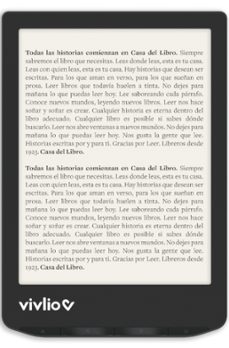
-15€ en eReader Vivlio Light Zen*
Este verano lee sin parar. Del 13 de julio al 2 de agosto llévate nuestro eReader Vivlio Light Zen por solo 94,99€ (-15 € de descuento).
Léelo en cualquier dispositivo


Ficha Técnica
Editorial: Desmond Akomontoh
ISBN: 9781105190681
Idioma: Inglés
Fecha de lanzamiento: 12/06/2026
Especificaciones del producto
Reseñas sobre How to Install a Libby on Kindle Fire
Comparte tu experiencia con la comunidad lectora.
0 Reseñas
5 0
4 0
3 0
2 0
1 0
Sólo por opinar entras en el sorteo mensual de tres tarjetas regalo valoradas en
20€
Publicar una opinión supone haber leído y aceptado las
bases del sorteo
"Tu opinión tiene premio".







*Descuento de 15 euros en el eReader Vivlio Light Zen, válido para pedidos realizados en casadellibro.com del 13 de julio al 2 de agosto y solo para los 300 primeros compradores, hasta fin de existencias.